Guest blog by Andy Taylor – Lead Cyber Assessor at APMG.

Every day we hear of new attacks, new ways of depriving us of money, our information or our privacy, and every day we hear companies offering the latest “silver bullet” to stop these incessant attacks. There is, at the end of the day, no 100% guarantee of cyber security other than not connecting to the internet at all. That option might at times seem very desirable, but as the world becomes ever more digital in nature, especially in business, there is little chance of that option being realistic for most of us.
There are, though, a few basic things we should all be doing whether we are a small business, a large business or just an individual trying to protect ourselves. These have been uniformly agreed by governments from many countries including the UK. In the UK it’s a scheme called Cyber Essentials and it lists the five cyber security fundamentals everyone should do to stay as safe as possible. They are straightforward and many will not recognise them as anything new – just effective!
- Patching. It has been proven time and again that patching the software issues is critical to staying safe. Criminals using the holes or vulnerabilities in software often use the older ones very effectively, the ones that the software manufacturers know all about and have fixed, often a while ago. Set all your software to patch automatically – it is the best solution.
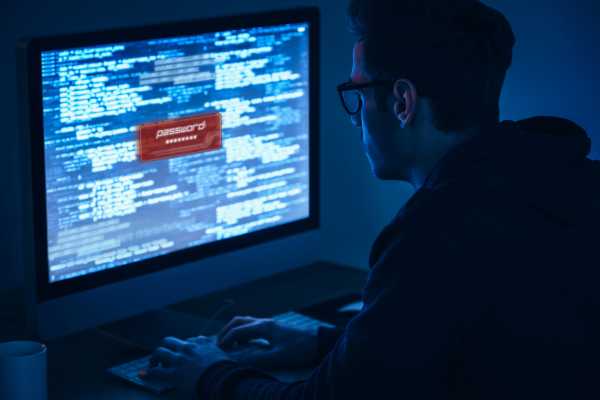
- Passwords. This has been perhaps the most discussed topic of recent weeks. Passwords are still, whether we like it or not, the most powerful form of security we have available. Changing passwords from the one set by default when the software is first installed is vital. Criminals know all the default ones. Making the password difficult to guess or work out is also important. The advice today is legion but perhaps the best is to use three ordinary unrelated words eg: horseyellowAfrica! could be very suitable password. Adding capital letters and a bit of punctuation make it very difficult to guess or work out. There is no longer any guidance suggesting the regular changing of passwords, only do so when necessary because of a breach or other reason. Not using the same passwords for lots of accounts is also important but the use of a password manager is probably the best solution. This will store all your passwords for you, will suggest strong passwords, and all you need to do is remember one strong password to access the system.
- Privileged user accounts. When systems and software are set up it will by default set up an administrator account that can do just about anything on the system. Naturally this is vital and it must be there but it must not be the account used every day for things like email, playing games and downloading music. There must be a more limited user account and this should be the one routinely used for day-to-day work and play. Admin accounts should not have an email account associated with them and should have a different (strong) password from the everyday account.
- Securing the boundaries. Make sure there is an effective boundary to your network. Often for small companies and private individuals this will be the router supplied by the Internet Service Provider (ISP) but make sure it is well configured and doesn’t have a guest account that anyone with the right (default) password can access. The settings on the router and firewall must be secure but that may be down to the provider – you’ll have to trust them!
- Secure configuration. Finally ensure that the configuration of the system is appropriate. Don’t leave any active user accounts of those who have left, close them or delete them. Don’t allow programs to run automatically when removable media (such as USB memory sticks) are put into the computer. Make sure there is some form of anti-malware protection on the system, often best on all connected devices including phones and tablets if they are used for business. Configuring the system securely is not difficult but must be done properly to be secure.
If you and your system can meet these requirements then Cyber Essentials awaits you. The scheme is increasingly being used by larger companies and government to protect themselves from other organisations in their supply chain where electronic trading or communications are routine. Assessment is fairly reasonable from £300 +VAT and it might just make you stand out from the crowd when competing for more business.
London Digital Security Centre members receive a 10% discount on APMG’s Cyber Essentials until 28th November 2017.
Learn more about APMG.